
The 5 best baby monitors for 2026
Compare five baby monitors for 2026, from simple no-Wi-Fi parent-screen models to split-screen, app-connected, and premium options.
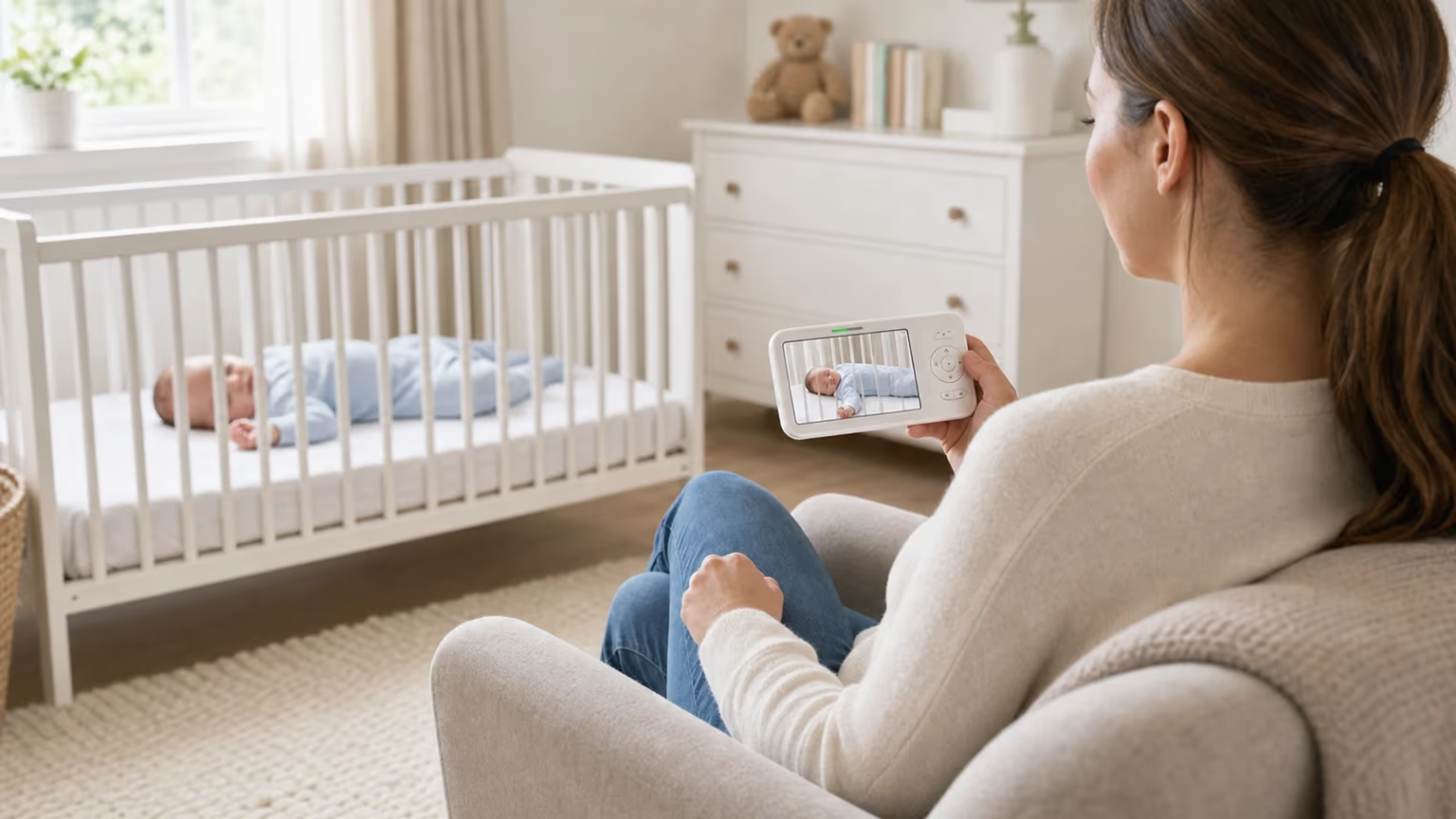
The right monitor is not always the most technical one. For most families, it is the one that fits the way you move around your home, whether you prefer a dedicated parent unit, and how much you want extras such as split-screen viewing, app alerts, temperature readings, or two-way talk.
Criteria | |||||
|---|---|---|---|---|---|
| Best for | Best for Best overall no-Wi-Fi video monitor | Best value no-Wi-Fi monitor | Best split-screen monitor for two rooms | Best app-and-screen hybrid | Best premium no-Wi-Fi monitor |
| Monitor type | Monitor type Dedicated video monitor | Dedicated video monitor | Two-camera split-screen monitor | Wi-Fi monitor with parent screen and app | Premium dedicated video monitor |
| Screen/app setup | Screen/app setup 5 inch parent screen | Parent screen | Split-screen parent display | 5 inch screen plus smartphone app | Parent unit |
| Main strengths | Main strengths Pan/tilt/zoom, night vision, temperature, two-way talk | Remote pan/tilt, ECO mode, two-way talk, temperature | Two cameras, split screen, night light, zoom | Advertised 2K video, app access, alerts, humidity and temperature | FHSS connection, interchangeable lenses, LED sound bar |
| Good fit | Good fit Most parents wanting a simple screen monitor | Parents prioritising value | Twins, siblings, or two sleeping spaces | Parents who want to check in from a phone too | Parents paying more for a proven no-Wi-Fi unit |


How to choose the right baby monitor
Start with the way you want to check on your baby. A monitor with a parent unit is usually the simplest choice for evenings at home because it does not depend on your phone, app notifications, or home Wi-Fi. A Wi-Fi or hybrid monitor can be useful if you want smartphone access, but it also adds passwords, app permissions, and software updates to the buying decision.
For a newborn or young baby, the essentials are still practical: a clear picture or reliable audio, enough range for your home, a battery that lasts through the evening, and a camera position that keeps the cot area clear. Extra features such as lullabies, temperature alerts, motion alerts, or breathing-style reassurance should feel helpful, not like a replacement for normal checks or safer-sleep guidance.
- Choose a parent screen if you want a simple monitor for home use.
- Choose a Wi-Fi or hybrid model if phone access matters and you are comfortable managing app security.
- Choose split-screen if you need to watch two rooms, twins, or siblings.
- Choose a premium no-Wi-Fi monitor if privacy, optical flexibility, and a long-established parent-unit design matter more than price.
The best baby monitors in the UK for 2026
These five picks cover five common priorities: simple no-Wi-Fi video, better value, two-camera coverage, app-connected flexibility, and a higher-end parent-unit option.
1. HelloBaby HB6550 baby monitor

The HelloBaby HB6550 is the strongest all-round choice if you want a dedicated video baby monitor with a parent screen and no Wi-Fi setup. It covers the everyday basics well: a 5-inch display, remote pan/tilt/zoom, night vision, temperature display, two-way talk, lullabies, and range designed for larger homes.
Why did we choose this product?
Choose it if you want one monitor that feels straightforward from the first night: switch on the parent unit, position the camera safely away from the cot, and use the screen without depending on a phone app. It is also a well-reviewed, widely bought no-Wi-Fi monitor, which makes it a convincing lead pick for most homes.
Keep in mind
Treat the battery and range figures as best-case guidance rather than guaranteed home performance. Walls, floors, screen brightness, and how often the display is on can all affect real-world performance, so check the return window and test it in the rooms where you actually need coverage.
Features that may help you
•5-inch parent screen
•No-Wi-Fi video monitor setup
•Remote pan, tilt, and zoom
•Night vision, temperature display, and two-way talk
•Lullabies and range for larger homes
2. HelloBaby Upgrade baby monitor

The HelloBaby Upgrade is the value pick if you want a similar no-Wi-Fi setup at a lower price than the HB6550. It is still a dedicated screen monitor, with remote pan/tilt, night vision, ECO mode, two-way talk, temperature display, and range aimed at everyday home use.
Why did we choose this product?
Choose it if you want a lower-cost no-Wi-Fi screen monitor without giving up the everyday features most parents expect. It has a parent screen, useful nursery basics, and plenty of buyer feedback behind it, so it is the practical pick if value matters most.
Keep in mind
Because it overlaps with the HB6550, compare the two HelloBaby options before you buy. If the bigger screen and fuller feature set of the HB6550 matter, start there; if you mainly want a dependable no-Wi-Fi screen monitor at a keener price, this one makes more sense.
Features that may help you
•Dedicated no-Wi-Fi monitor with parent screen
•Remote 355-degree pan and 120-degree tilt
•ECO mode, two-way talk, and temperature display
•Night vision and 2x zoom
•Best suited to value-focused screen-monitor buyers
3. Babysense Full HD split-screen baby monitor

The Babysense Full HD split-screen monitor is the one to look at if a single camera will not cover your setup. It is designed around two PTZ cameras and split-screen viewing, so it suits twins, siblings in separate rooms, or a home where you want to watch a cot and a second sleep or play space.
Why did we choose this product?
Its biggest advantage is the two-camera setup. Instead of asking one camera to do everything, Babysense gives you a parent display, two-way talk, night-light features, zoom, and a battery designed for longer evening use. This is a genuinely different setup for families monitoring two rooms.
Keep in mind
It is more kit to position, charge, and keep organised than a single-camera monitor. If you only need one cot view, a simpler no-Wi-Fi option may feel less bulky and easier to live with.
Features that may help you
•Split-screen parent display
•Two PTZ cameras
•Full HD video and 4x zoom
•Two-way talk and 6-colour night light
•Strong fit for twins, siblings, or two rooms
4. BOIFUN 2K Wi-Fi baby monitor with app and screen

The BOIFUN 2K Wi-Fi baby monitor is the best fit here if you want both a parent screen and smartphone access. That hybrid setup is useful when one parent wants the dedicated display at home while another wants app access, alerts, or a quick check-in from a phone.
Why did we choose this product?
The main advantage over a generic indoor security camera is that it is sold as a baby monitor and includes a 5-inch screen as well as app control. Its listed features also include 2K video, night vision, cry/motion/sound detection, 360-degree camera movement, humidity and temperature readings, and auto-tracking.
Keep in mind
Wi-Fi is the tradeoff. Before relying on the app, use a strong unique password, check app permissions, keep the software updated, and make sure your home Wi-Fi is reliable in the nursery. If you do not want that extra admin, a no-Wi-Fi monitor will be simpler to manage.
Features that may help you
•Wi-Fi monitor with 5-inch parent screen
•Smartphone app access
•Advertised 2K video, night vision, and 4x zoom
•Cry, motion, and sound detection
•Humidity, temperature, and night-light features
5. Infant Optics DXR-8 baby monitor

The Infant Optics DXR-8 is the premium no-Wi-Fi pick for parents who prefer a long-established parent-unit monitor over app features. Its strongest selling points are the FHSS connection, interchangeable lens system, pan/tilt/zoom control, LED sound bar, night vision, two-way talk, and a long track record with parents.
Why did we choose this product?
Choose it if you are happy to pay more for a proven non-Wi-Fi monitor with optical flexibility rather than chasing the newest app-led feature set. The interchangeable lenses are especially useful if your camera position needs a wider or closer view than a fixed-lens monitor can comfortably give.
Keep in mind
It can be a pricey choice and it does not give you app access, so it is not the best fit if you mainly want a low-cost or phone-connected monitor. It is still a strong choice if the premium no-Wi-Fi role is exactly what you want.
Features that may help you
•Non-Wi-Fi FHSS connection
•Interchangeable lens system
•Pan, tilt, and digital zoom
•LED sound bar, night vision, and two-way talk
•Premium parent-unit option with a long track record
How to use a baby monitor safely
Baby monitors are useful for hearing, seeing, and responding more quickly, but they are not safety devices in the medical sense. The Lullaby Trust is clear that monitors do not prevent SIDS and do not replace parent or carer supervision, so it is best to treat the monitor as one helpful tool alongside safe sleep, regular checks, and common sense.
Safe sleep and monitor limits
Keep the cot and sleep space clear. Do not put the camera, control unit, loose accessories, or cables inside the cot, and keep wires well out of reach. If a movement or breathing-style monitor uses a sensor, wire, or wearable part, follow the maker's age and placement instructions carefully, especially once your baby can roll, reach, or pull at things.
Wi-Fi, app privacy, and passwords
If you choose a Wi-Fi baby monitor, check what data the app collects, limit permissions that do not make sense, and use a strong password that you do not reuse elsewhere. The ICO and NCSC also recommend keeping smart products and apps updated, securing your home router, and enabling two-step verification where it is available.
Batteries, accessories, and room setup
Check that battery compartments, remotes, sensors, and accessories are secure, and keep spare or used batteries out of reach. For a wider room-by-room safety check, our guide to babyproofing your home is a useful next step once the monitor is only one part of the nursery setup.
Features worth comparing before you buy
Video quality matters, but it is not the only thing that makes a monitor easy to live with. A slightly simpler model with reliable sound, a clear night view, and a battery that lasts through the evening may suit you better than a feature-heavy monitor that depends on an app you would rather not keep open. If price is your main constraint, compare baby monitors under £70 in our dedicated budget guide.
Parent screen or smartphone app?
A parent screen is usually best for predictable home use: leave it on the sofa, bedside table, or kitchen counter and glance at it without unlocking your phone. An app is better when remote access matters, but it can mean extra notifications, account settings, Wi-Fi dependency, and privacy checks.
Video quality, night vision, and range
Look for a picture that is clear enough to see whether your baby is settled, not just a headline resolution number. Pan/tilt/zoom is helpful when the camera is mounted away from the cot, and night vision is essential for evening checks. Treat range claims as best-case figures because walls, floors, and interference can change performance at home.
Battery life, alerts, and extras
Battery claims can vary with screen brightness, VOX/ECO mode, and how often the display is on. Temperature readings, lullabies, night lights, and two-way talk can all be useful, but they should not outweigh the basics: a reliable signal, a safe camera position, and a monitor you will actually use without fuss.


