
Do baby monitors emit radiation? What parents should know
Most wireless baby monitors use non-ionising radiofrequency signals. Here is what that means, how to set one up safely, and when to seek health advice.
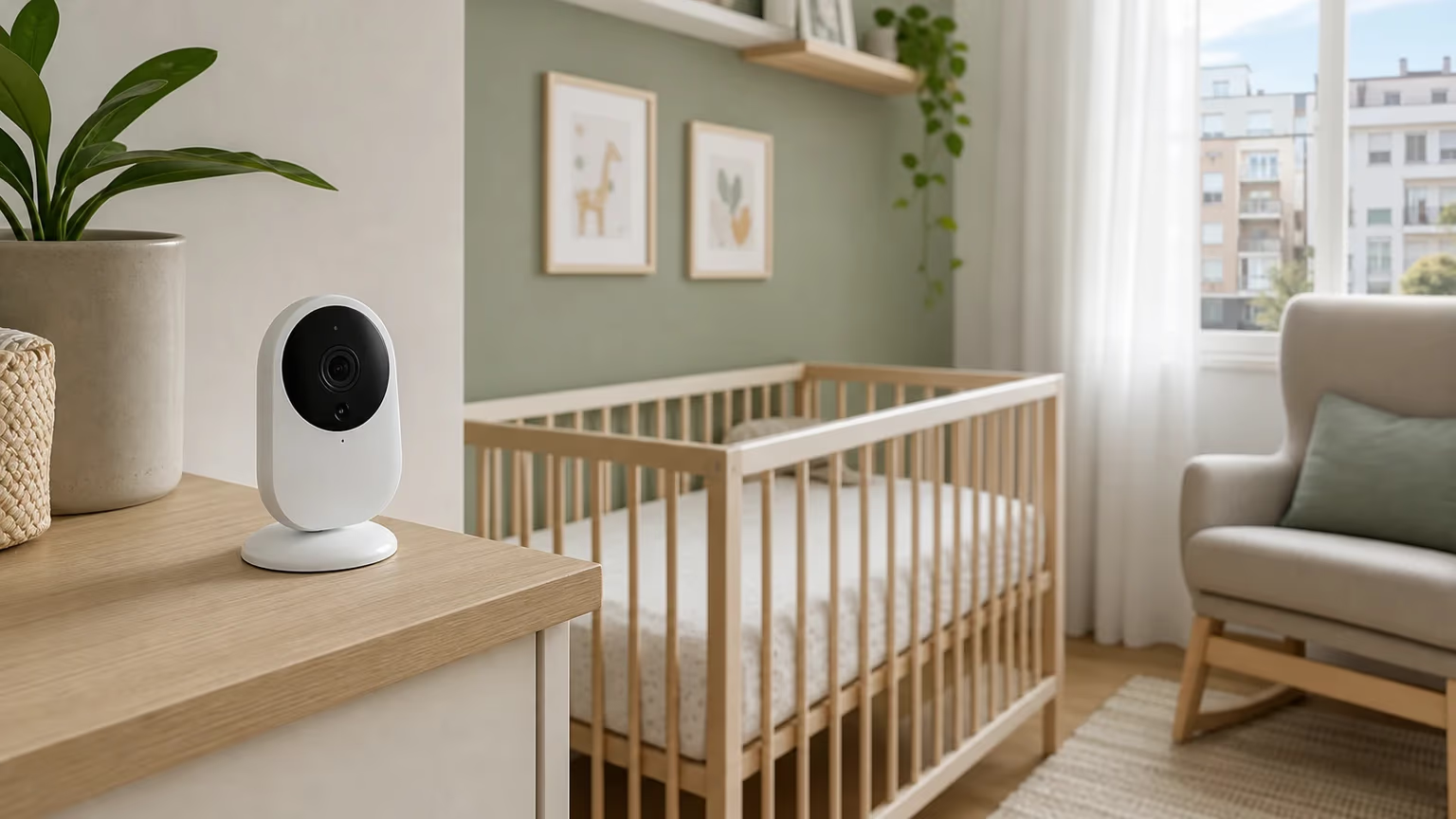
Yes, many wireless baby monitors emit radiation in the everyday wireless-signal sense: they use non-ionising radiofrequency signals to send sound, video or data. That is different from ionising radiation, such as X-rays or radioactive material.
The practical answer is reassuring but not absolute. Use a compliant baby monitor as instructed, keep the baby unit and cords out of the cot or Moses basket and out of reach, and get medical advice for symptoms or injuries rather than attributing them to radiation.
What baby monitor radiation means
Many do. Wi-Fi, DECT, digital, video and some analogue baby monitors work by sending information wirelessly between a baby unit and a parent unit or app. Those wireless signals are radiofrequency electromagnetic fields, often shortened to RF or EMF.
That wording can sound alarming because "radiation" is a broad word. In this article, it does not mean radioactive material and it does not mean the same type of radiation used in X-rays. UK public health and regulatory sources discuss these everyday wireless signals in terms of non-ionising RF exposure and recognised exposure limits.
The short version:
- Many wireless baby monitors use non-ionising radiofrequency signals.
- Non-ionising signals are different from ionising radiation.
- For compliant low-power devices used according to instructions, current guidance from relevant authorities is reassuring.
- The biggest practical checks are placement, cords, damaged equipment, overheating, recalls, Wi-Fi privacy and knowing when to ask for health advice.
Non-ionising and ionising radiation
The radiation relevant to most wireless baby monitors is non-ionising electromagnetic radiation. It can carry information, such as sound or video, but it does not have enough energy to ionise atoms in the way X-rays or radioactive materials can.
High levels of RF exposure can have effects, which is why international exposure guidelines exist. That is also why the best wording is not "zero risk" or "completely safe". A better parent-friendly way to think about it is: choose a reputable monitor, follow the manual, keep the baby unit sensibly away from the cot, and do not use damaged or suspicious equipment.
A few plain-English terms help:
- Radiation: energy travelling from one place to another.
- Radiofrequency signals: wireless signals used by Wi-Fi, radio, mobile networks and many baby monitors.
- EMF: electromagnetic fields; the broader technical term used by regulators.
- Non-ionising: lower-energy radiation that is different from X-rays, gamma rays and radioactive material.
- Ionising: higher-energy radiation that can ionise atoms and needs a different safety discussion.
How to use a baby monitor safely
For most families using a compliant baby monitor as instructed, radiation should not be the main worry. UKHSA describes Wi-Fi radio signals as low power and bases its advice on ICNIRP exposure guidelines. Ofcom also links UK EMF regulation to ICNIRP public exposure limits and UKHSA health advice.
That does not mean every product on every marketplace is fine, or that the same advice covers every medical situation. It means the evidence-based reassurance is conditional: use a reputable product, follow the manufacturer's instructions, keep the distance specified in the manual, and deal with visible safety problems promptly.
The more immediate baby monitor risks are usually practical ones:
- a baby unit or cord inside the cot or Moses basket;
- cables, straps or accessories within reach;
- a monitor balanced somewhere it could fall;
- a covered, blocked or overheating unit;
- a damaged charger, wrong adapter or recalled product;
- weak passwords or insecure remote viewing on a Wi-Fi monitor.
How far should a baby monitor be from the cot?
Follow your model's manual first. Some baby monitor manuals specify a minimum distance, often around 0.9 m to 1 m, or about 3 to 3.5 ft, but there is no single universal distance for every monitor.
Keeping some distance is still sensible. RF signal strength reduces as you move away from the transmitting antenna, and distance also helps with ordinary nursery safety. Put the baby unit on a stable shelf or chest of drawers, or mount it on the wall, keeping the device, cords and accessories out of the cot or Moses basket and out of your baby's reach.

After you place it, test the monitor from the parent unit or app. You want it far enough away to be safe and out of reach, but still reliable enough to hear or see what you need. If you are doing a wider room check, basic baby-proofing checks around cords and reachable items can help you spot other hazards too.
Practical safety checks before use
Use this quick checklist when setting up a new or second-hand monitor, or after moving one to a new room:
- Buy from a reputable seller and be cautious with products that lack clear instructions, warnings, safety markings or manufacturer details.
- Read the manual before using the monitor near a cot or Moses basket.
- Keep the baby unit, cords, straps and accessories out of the sleeping space and out of reach.
- Place the unit on a stable surface or mount it exactly as instructed.
- Do not cover the baby unit, and keep vents clear if your model has them.
- Use the supplied or manufacturer-recommended power adapter.
- Register electrical products where possible, so you can be told about safety problems.
- Check GOV.UK product safety alerts or recalls if you are worried about a specific product.
- Stop using a monitor that is damaged, overheating, recalled, missing key safety information or behaving unusually.
- For Wi-Fi monitors, change default passwords, install updates and disable remote viewing if you do not use it.
If you think a product is unsafe, that is a product-safety issue as well as a parenting concern. Contact the seller, manufacturer or marketplace and use the relevant GOV.UK product-safety reporting route for your area.
If you still want to reduce radiation exposure
It is fine to prefer a lower-transmission setup, as long as the monitor still works reliably. The most useful steps are simple:
- Keep the baby unit at the distance recommended in the manual and out of reach.
- Use VOX or ECO mode if your monitor has it and you have tested the alerts.
- Choose audio-only if you do not need video or app access.
- Turn off remote access or smart features you do not use.
- Do not choose a monitor based on "radiation-free" or "low radiation" marketing claims alone.
Once you are comfortable with the safety basics, choose the monitor that suits how you actually check on your baby. If you are still deciding, you can compare current baby monitor picks after reading the health and setup advice here.
How monitor types and settings differ
They can differ in how they connect, what features they offer and how often they transmit, but that does not automatically make one type safer in terms of radiation exposure.
Wi-Fi and video baby monitors
Wi-Fi baby monitors use a home network and often stream to an app. UKHSA's guidance on Wi-Fi is reassuring about low-power signals in general, but Wi-Fi monitor safety is not only about radiation. For smart cameras and connected baby monitors, use a strong password, change default login details, install updates and turn off remote viewing if you do not need it.
DECT and digital baby monitors
Digital and DECT-style monitors use wireless signals between the baby unit and parent unit. They may provide a clearer connection, less interference or better privacy than older analogue designs, depending on the model. Use them according to the manual and avoid comparing products by frequency alone.
Analogue and audio-only baby monitors
Audio-only can be a good fit if you do not want video or app features. Analogue monitors may use different frequencies from digital models, but "analogue" does not automatically mean safer. Some older or simpler monitors may also be more prone to interference or have less privacy protection.
VOX and ECO modes
VOX or ECO modes may reduce the time a monitor actively transmits because the unit waits for sound or movement before sending a signal. That can be a reasonable preference if your monitor offers it, but it is not medically required. Test the setting carefully so you know it still alerts you reliably.
Infrared night vision
Infrared night vision is a separate feature from the RF signal that sends audio or video. Direct guidance from authorities on infrared night vision in baby monitors is limited, so the practical advice is simple: follow the manual, do not cover or modify the emitters, and stop using the unit if it is damaged, overheating or behaving unusually.

When should you get advice?
Ask for health advice because of symptoms, injuries or persistent worry, not because you are trying to diagnose radiation exposure at home.
Contact your GP or NHS 111, depending on the severity, if your baby seems seriously unwell, has breathing difficulty, is unusually drowsy, has a worrying temperature, or you feel something is seriously wrong. Call 999 or go to A&E if your baby is unresponsive, struggling to breathe or you believe there is an immediate danger. For a child under 5 who needs urgent medical help but whose condition is not immediately life-threatening, call NHS 111 rather than relying on 111 online.
For a burn, suspected electrical injury or possible overheating injury from equipment, follow NHS burns guidance. Severe burns, electrical burns or major concerns need urgent help; if you are unsure what to do for a child's burn, use NHS 111.
If your baby has implanted medical equipment or another medical device, or has complex medical needs, ask the clinical team and, where relevant, the device manufacturer about wireless equipment around your child. Exposure-limit guidance is not the same thing as medical-device compatibility advice.
If radiation worries are repeatedly disrupting your sleep, making you avoid useful care tools or taking over day-to-day decisions, speak with a GP or health visitor. You deserve practical reassurance, not a spiral of late-night searching.
FAQ
References::
- UKHSA/GOV.UK - Wi-Fi radio waves and health
- UKHSA/GOV.UK - Mobile phone base stations, radio waves and health
- Ofcom - Electromagnetic fields
- ICNIRP - Guidelines for limiting exposure to electromagnetic fields, 100 kHz to 300 GHz
- WHO - Radiation: electromagnetic fields
- OPSS/GOV.UK - Consumer product safety: advice for staying safe
- OPSS/GOV.UK - Product safety alerts, reports and recalls
- OPSS/GOV.UK - Reporting product safety issues
- NCSC - Smart security cameras: using them safely in your home
- NHS - Is your baby or toddler seriously ill?
- NHS - When to use NHS 111
- NHS - Burns and scalds
- NHS - Baby health and development reviews


