How to choose a baby monitor: Wi-Fi or non-Wi-Fi?
A parent unit or a phone app? Choose a baby monitor around your home, the connection you need and the alerts you will actually use.
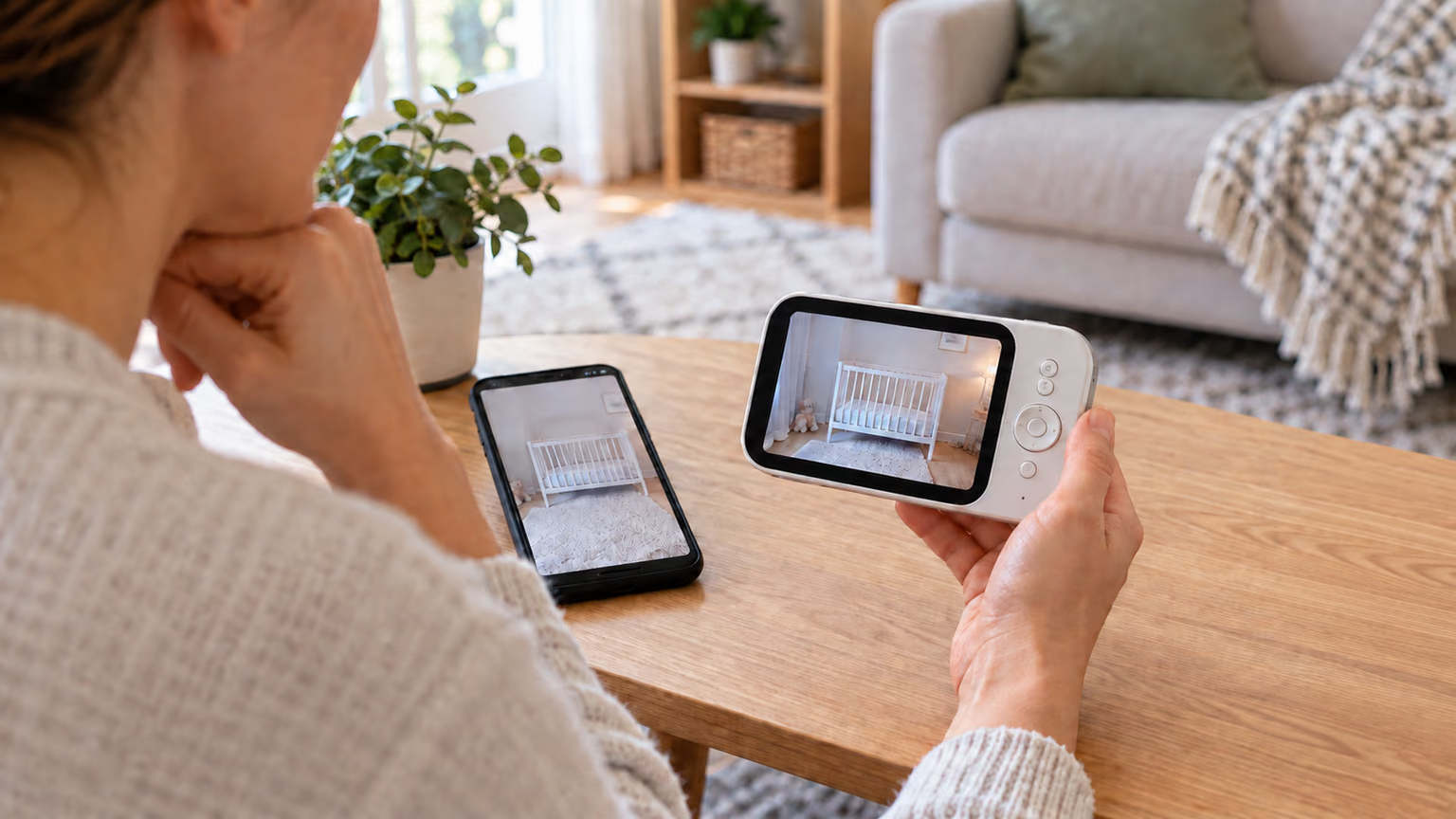
The most useful baby monitor is the one you can hear or glance at easily while getting on with the evening. A long feature list matters less than whether you want a separate parent unit or to use your phone, and whether the connection works where you actually spend time.
If you mainly need to listen or look in from elsewhere at home, a non-Wi-Fi monitor with its own parent unit is a sensible starting point. An app-connected model can be useful for checking in while another adult is caring for your baby. Some models offer both, but their local and internet-connected functions are not always the same.
Decide how you want to see and hear your baby
An audio monitor may be enough if your main aim is to hear when your baby needs you. Video adds a view of the cot, but it also means choosing a screen, camera position and night-viewing features that suit your routine.
A dedicated parent unit gives you a device whose job is monitoring. It can be convenient to hand to another carer without sharing your phone. Look for clear sound controls and an obvious warning when the connection drops or its battery runs low.
A Wi-Fi monitor usually offers viewing through an app. That can suit parents who want access from outside the home while their baby is with another responsible adult. It also makes the phone, app, network and account part of the setup. Remote viewing does not replace having someone there to care for the baby.
A hybrid model may combine a parent unit with an app. Check which functions work directly between the camera and parent unit, and which depend on the router or internet. The presence of a separate screen alone does not prove that every function will work offline.
Match the connection and power to your home
Range is about the route through your rooms
An advertised maximum range is not a promise of the same coverage through walls and floors. Think about where the baby unit will go and where you need to receive the signal, such as the kitchen or your bedroom. A garden or a different floor can create a more demanding connection than the room next door.
For a Wi-Fi model, check that the camera supports your router's network settings and that coverage reaches its planned position. A strong signal beside the router does not tell you what the nursery receives. For a non-Wi-Fi model, compare the stated indoor conditions rather than relying only on an open-space range figure.
Check both ends of the power supply
A rechargeable parent unit does not necessarily mean the camera runs on batteries. Work out which parts need mains power, where the sockets are and what remains available if power or internet access fails.
Battery claims can also depend on whether the screen stays on or wakes only when sound is detected. Compare the mode you expect to use, and consider whether you can hear sound while the display is off.
Useful details to check before choosing include:
- A clear lost-connection warning and low-battery alert.
- Sound that remains audible in the viewing mode you use.
- A screen brightness setting that suits night-time use.
- The option to add a compatible camera if you will need a second view.
- For travel, a connection that works in your intended accommodation without relying on a complicated shared Wi-Fi login.
Check privacy and the cost of app features
For an internet-connected monitor, security support is part of the purchase decision. Look for a clear software-update policy and a way to manage who can access the feed. If several carers need access, individual sharing controls are more useful than passing the same account around.
The National Cyber Security Centre's guidance on smart cameras and baby monitors recommends changing default passwords, keeping software updated and disabling remote viewing when you do not need it. Some connected features may stop working when remote access is disabled, so check the consequences for the model you choose.
A non-Wi-Fi design avoids needing an internet account for its direct connection, but no category label is a guarantee of complete privacy. Keep the choice focused on the access you need and the security settings you can maintain.
Also separate the features included with the monitor from those that need a subscription. Live viewing, recording, saved clips and sleep summaries may be treated differently. Paying for extra tracking only makes sense if you will use it; it is not a reason to treat an ordinary monitor as medical equipment.
Set it up without changing safer-sleep advice
Choose a camera position that gives the required view without putting the device or its cable within your baby's reach. Follow the manufacturer's placement distances and mounting instructions, and reassess the position as your baby becomes more mobile. Do not put the camera inside the cot to improve the picture.

A monitor does not change where a young baby should sleep. The NHS recommends a separate cot or Moses basket in the same room as you for every sleep for at least the first six months, with a firm, flat mattress and a clear sleep space.
Once the monitor is installed, check sound, connection warnings and charging in the places where you will actually use it. For a phone app, include the situations that could affect alerts, such as a locked screen or another app playing audio. Those checks confirm how your chosen setup behaves; they are not a substitute for responding to your baby in person.